
You usually cannot watch a complete live Formula 1 Grand Prix on the ordinary YouTube platform. The verified Formula 1 channel publishes excellent highlights, interviews, features and occasional live programming, but it is not the universal home of every 2026 practice, qualifying session, Sprint and race.
There can be authorized exceptions. Formula 1, a licensed broadcaster, a race promoter or another rights holder may announce a free live session, territory-limited feed, watchalong or special event. That is different from assuming any channel with an F1 logo can legally retransmit the world feed. Check who owns the channel, what country the stream covers and whether an official broadcaster listing confirms it.
The 2026 short answer
In the United States, Apple TV is Formula 1’s exclusive broadcast home and carries every session live and on demand. In many other countries, F1 TV or a local licensed broadcaster provides live video. The correct option depends on your location.
This guide separates YouTube, YouTube TV and YouTube Premium; shows what the official F1 channel actually offers; and gives a legal fallback when a full live race is unavailable. It also explains how to recognize a stream that may disappear before the start. For session times and the current U.S. listing, use our F1 TV schedule. Broadcast arrangements were checked on August 31, 2026, and can change by territory or season.
Can you watch a full F1 race live on YouTube?
Not as a universal 2026 service. Full Grand Prix video is sold and licensed by territory, so the authorized live platform in the United States may differ from the one in Canada, Britain, Australia or India. Formula 1’s free YouTube channel is not a worldwide substitute for those agreements.
An individual race or session can still appear on YouTube when a rights holder explicitly authorizes it. The stream may be limited to certain countries, available only for a promotional event, or blocked where another broadcaster owns exclusive rights. A video title containing “F1 LIVE” proves nothing by itself. It might show commentary, a timing screen, a watchalong or recycled game footage rather than the live race world feed.
Four checks before you trust a live listing
- Is the channel the verified Formula 1 account or a named licensed broadcaster?
- Did Formula 1, the broadcaster or promoter announce this exact stream?
- Does the announcement include your country or territory?
- Does the title name the actual session rather than vaguely promising “live F1”?
A team’s official channel is trustworthy for team content, but that does not automatically give it permission to show the shared television broadcast. Likewise, a race promoter may legally stream interviews or support action without carrying the Grand Prix. Authorization applies to the particular program and territory, not merely to a familiar logo.
Does the official F1 YouTube channel ever go live?
Yes. Formula 1 has used official livestreams or live-style YouTube pages for launch events, esports rounds, virtual races, anniversary archive marathons and other special programming. It can also schedule premieres where viewers watch a prerecorded video together at a set time. Those are legitimate, but they do not establish that the next Grand Prix will be streamed free.
What the official Formula 1 YouTube channel shows
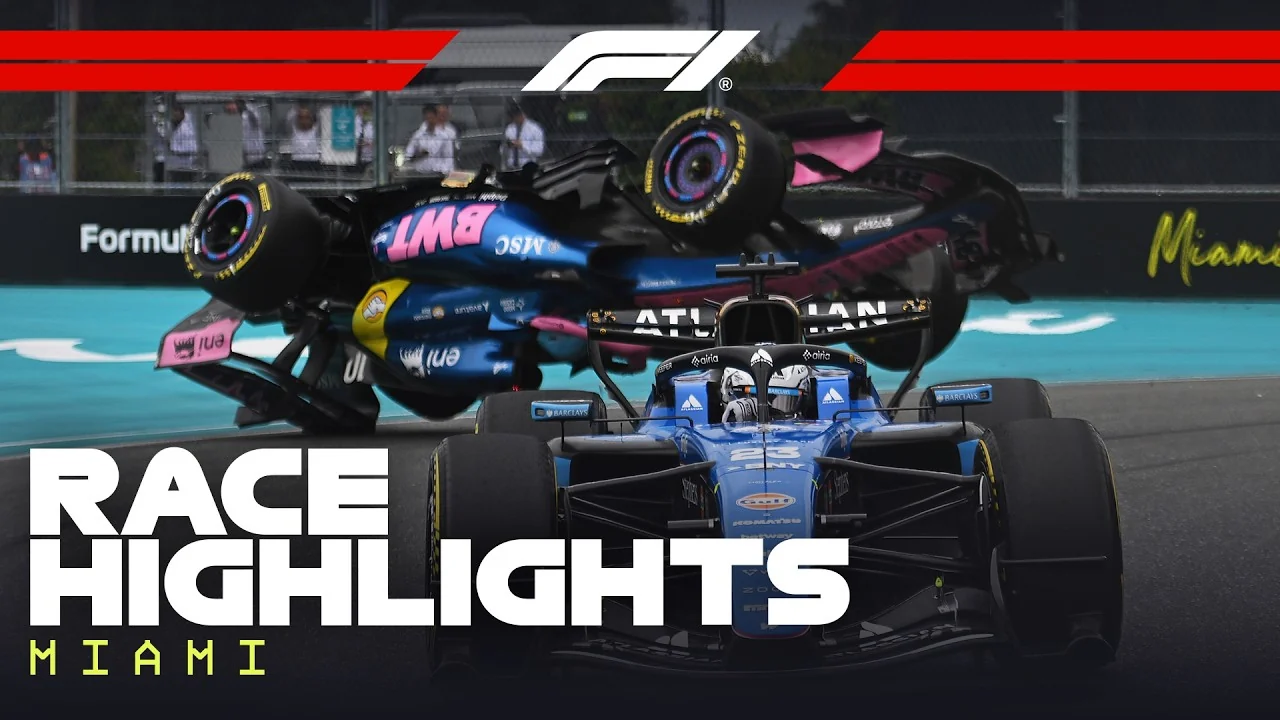
The free official channel is one of the best ways to catch up without watching a two-hour replay. Formula 1 publishes edited race, qualifying, Sprint, Sprint Qualifying and practice highlights, alongside short track-action clips. It also carries driver interviews, team-radio edits, onboard compilations, technical breakdowns, analysis, documentaries, archive packages and lighter feature series.
Session highlights
Condensed action from races, qualifying, Sprints and selected practice sessions.
Paddock reaction
Driver interviews, press clips and immediate post-session comments.
Deeper viewing
Onboards, radio, strategy analysis, technical features and historic compilations.
A race-highlight video is not a complete replay. An eight-minute edit can show the decisive overtakes, incidents and finish while omitting long strategy phases, midfield battles or a later stewards’ decision. Pair the video with the final F1 results when classification details matter.
The channel is also useful between weekends. Technical explainers can clarify a regulation change, onboard collections show how drivers approach a corner, and radio edits reconstruct strategic decisions that the main broadcast missed. Archive compilations provide context for recurring circuits and rivalries. Availability can differ by country, so an official link shared by another fan may still display a restriction where you live.
How soon are F1 highlights posted?
Official highlights often arrive soon after the relevant session and current 2026 examples are commonly published the same day. However, Formula 1 does not provide one universal public promise that every YouTube highlight will appear after a fixed number of minutes. Editing, rights windows and territory restrictions can change timing and availability.
Use the verified FORMULA 1 channel or the video hub on Formula1.com, sort by the latest upload, and confirm the year, Grand Prix and session in the title. If a video appears before the real race has finished yet claims to be “full highlights,” it is a warning sign. For spoiler avoidance, remember that thumbnails and titles can reveal the winner even when the underlying clip is official.
YouTube, YouTube TV and YouTube Premium are different
Three similar names cause much of the confusion. YouTube is the familiar video platform. YouTube Premium is a separate membership that changes how ordinary YouTube is experienced. YouTube TV is a U.S. live-television bundle with channel lineups and DVR features. None is the same product as Apple TV or F1 TV.
| Product | What you buy | Full live U.S. F1 in 2026? |
|---|---|---|
| YouTube | Free video platform with official highlights and creator content | Only when a rights holder authorizes a specific stream |
| YouTube Premium | Benefits such as ad-free ordinary videos, downloads and background play | No |
| YouTube TV | Paid U.S. live-channel bundle and DVR | Not by default; current U.S. F1 rights belong to Apple TV |
| Apple TV | Separate Apple subscription and streaming service | Yes, for every 2026 session under the U.S. agreement |
Buying YouTube Premium does not add YouTube TV’s channels, Primetime Channels or other separate subscriptions. It also cannot turn an unauthorized upload into a licensed broadcast. YouTube TV can be installed on an Apple TV streaming box, but that only means one company’s app runs on another company’s hardware; it does not include the Apple TV subscription service.
Billing is another clue. A charge labeled YouTube Premium covers Premium benefits; it is not evidence of a YouTube TV plan or an Apple TV subscription. Check the memberships screen inside the service that actually owns the event rights.
Does YouTube TV carry live F1 in the United States in 2026?
Do not assume it does. Formula 1’s current broadcaster table lists Apple TV for the United States, and the announced five-year exclusive partnership began in 2026. Older articles may mention ESPN, while YouTube TV search pages can retain program records, highlights or generic sports descriptions. Those items do not override the current primary rights announcement.
Before race day, open your YouTube TV guide and search the exact Grand Prix if you want to verify an exceptional sublicense or free simulcast. If no live listing appears, a YouTube TV membership alone is not your access route. Open the Apple TV service instead; do not confuse that app with an Apple TV device or with the ordinary YouTube app installed beside it.
Legal ways to stream F1 live in the United States
For the 2026 season, the complete U.S. answer is Apple TV. Formula 1’s five-year exclusive agreement makes it the American home for every practice session, qualifying session, Sprint and Grand Prix. Subscribers can watch live or on demand, so the same service covers the full weekend rather than only Sunday’s race.
Complete live weekend
Apple TV carries all 2026 F1 sessions for U.S. subscribers.
Advanced viewing
F1 TV Premium is linked through Apple TV with multiview, onboards, team radio and timing features.
Free catch-up
Official F1 highlights remain the dependable no-subscription option after sessions.
Formula 1 says F1 TV Premium is available in the United States through Apple TV and included at no additional cost for Apple TV subscribers. The integrated features include alternate feeds and multiview on supported devices, while the main Apple presentation provides live coverage, full replays, highlights and condensed Race in 30 programs. Follow the activation path shown by Apple or Formula 1 rather than trying to purchase a separate legacy U.S. F1 TV Pro plan.
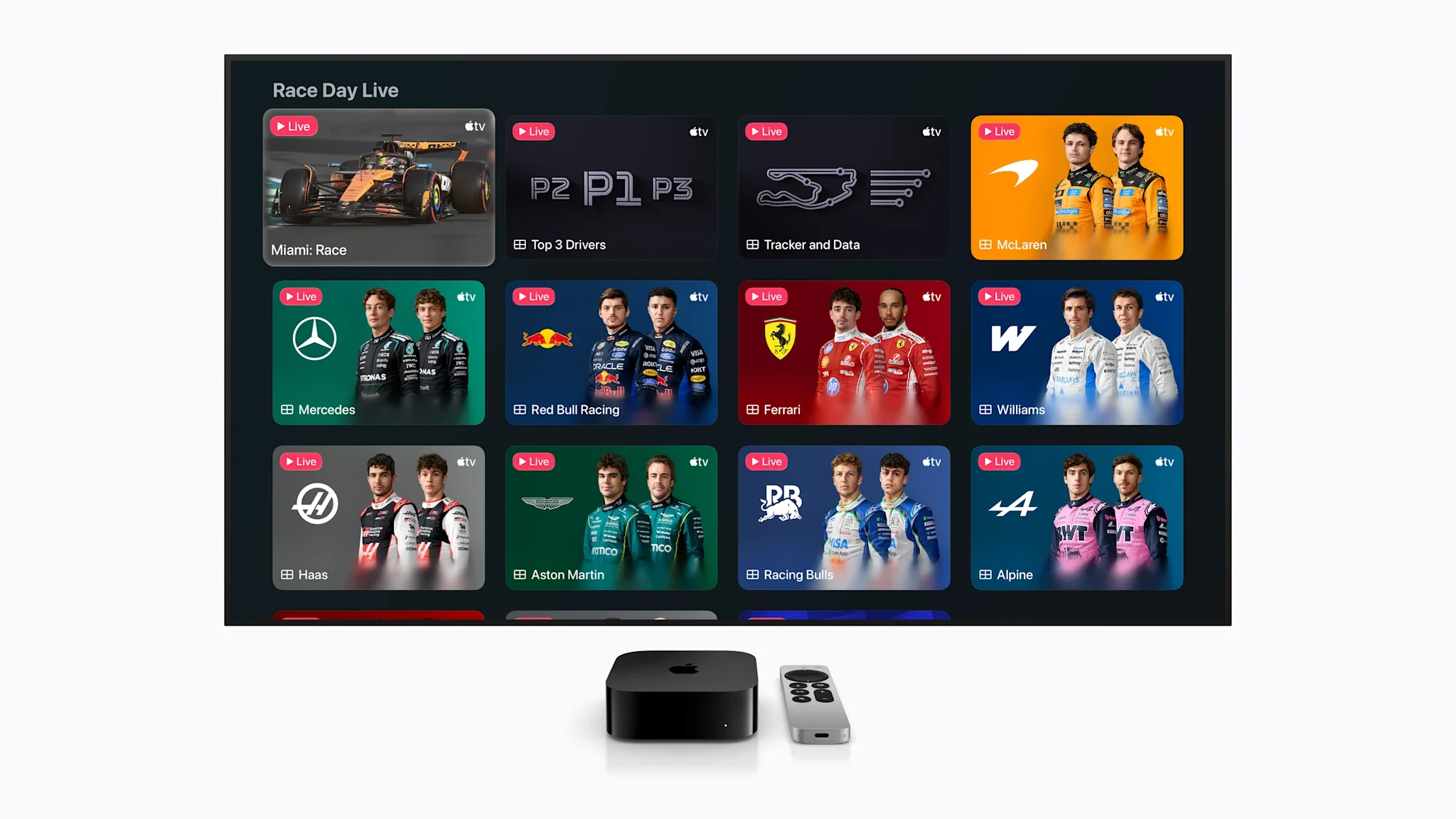
The free Formula 1 Channel found on some connected-TV services is another product. It offers a schedule of F1 programming and live F1 Academy coverage, but Formula 1 directs U.S. fans who want live Grands Prix to Apple TV. A channel branded Formula 1 is not automatically the championship race feed.
Is any live F1 free in the U.S.?
Yes, but do not assume the whole season is free. Formula 1’s published 2026 plan says all practice sessions and selected races will be available free in the Apple TV app. The official sources do not turn “selected races” into every Grand Prix, so check the event card before relying on free access.
Open the app and our F1 schedule this weekend early enough to confirm the session, start time and access label. Test the intended device and sign-in before lights out, especially if you need to activate the linked F1 TV features. If the race is not one of the free selections, a subscription is required for the legal live video. Official YouTube highlights remain free afterward, but they are edited catch-up, not the promised live race.
How to watch F1 legally outside the United States
Start with your viewing country, not with a service recommended by a fan somewhere else. Formula 1 sells different rights packages by territory. Its current broadcaster table lists, for example, Fox Sports, Foxtel and Kayo in Australia; RDS, TSN and Noovo in Canada; FanCode options in India; and Sky Sports plus Channel 4 in the United Kingdom and Ireland. Exact live, delayed and free-to-air coverage can differ inside each market.
Three-step country check
- Find your territory on Formula 1’s official broadcast-information page.
- Open the named broadcaster’s current Grand Prix listing and confirm the exact session.
- Compare F1 TV’s local offer if it is available, making sure the plan includes live F1 video.
This sequence matters because one broadcaster may show every practice, qualifying session, Sprint and race, while another market divides rights between paid and free channels. A broadcaster name in the global table also does not guarantee that every session uses the same channel or app. Local listings settle the details.
Is F1 TV available everywhere?
No. Formula 1 describes F1 TV Pro as available in selected countries, and the content and features can vary by territory. A plan branded F1 TV Access may emphasize live timing, archive material or delayed replays without giving the same live video rights as Pro or Premium. Read the feature list presented for your location before paying.
F1 TV’s terms define a home territory based on habitual residence and apply geographic restrictions. Portability rules can preserve home access in specified European territories, but travel elsewhere remains subject to the rights in the country from which you connect. Do not assume a subscription bought at home will reproduce every feature abroad, and do not rely on a workaround that violates the service terms.
How to spot unauthorized or fake F1 live streams
A copied F1 logo and a large live-viewer count are not proof of broadcast rights. First inspect the channel handle, not only its display name. Impersonators may use a misspelling or add words such as “Live,” “Official” or “Backup” to resemble an established channel. Open its history: a genuine broadcaster normally has regular programming, linked official sites and a consistent identity.
Leave the page if it asks you to:
- • install an unknown player or extension;
- • download an executable or codec;
- • enter a broadcaster password off-platform;
- • submit card details for “verification”;
- • send cryptocurrency to unlock video;
- • complete surveys or share personal data.
Other clues are a static countdown that never becomes track action, video-game footage presented as real racing, recycled clips, or commentary over a blank timing screen while the title promises the full world feed. Commentary and watchalongs can be legitimate when labeled honestly; the problem is pretending that they are the licensed race broadcast.
Cross-check the account against Formula 1’s broadcaster list and look for an announcement on the broadcaster’s own website. The destination URL should use the broadcaster’s normal domain, not a lookalike spelling. Do not infer legality from chat enthusiasm, subscriber count or a top search position. If a channel appears to impersonate Formula 1 or a broadcaster, YouTube provides tools to report the video or channel; a report is reviewed rather than causing automatic removal.
Why did a YouTube F1 stream suddenly disappear?
YouTube scans live streams for matches to third-party content, including another live broadcast. When a match persists, the video can be replaced, interrupted or terminated. That is one reason an unauthorized mirror may vanish during the formation lap or shortly after the race begins.
Disappearance alone is not conclusive: an authorized partner can have an allowlist problem, a technical failure or a territory block. The practical response is the same. Do not chase newly created mirrors or repeatedly enter credentials. Return to the official event listing, Apple TV in the U.S., the licensed local broadcaster or eligible F1 TV service.
A legal race-weekend viewing checklist
Do the rights check before race morning. A valid subscription can still fail if the wrong country, session, device or account is selected. This short timeline prevents the most common surprise and gives you a legal backup if video is unavailable.
The day before
Confirm your country, exact session and local start time on the weekend schedule. Match the service to Formula 1’s current broadcaster information.
Before the session
Open the app, sign in, complete any F1 TV activation, test playback and update the device. Check whether the card says live, replay or highlights.
After the flag
Use the official highlight or replay, then check final results for penalties that an early edit may not include.
Keep the F1 TV schedule and your provider’s event page bookmarked. If a supposed YouTube race feed vanishes, move to those known pages instead of searching for mirrors. A few minutes of preparation is safer than entering account or payment information on an unfamiliar site under time pressure.
If you want to avoid spoilers, disable result notifications and open the provider’s replay area directly rather than browsing social feeds. Confirm that the replay is the full session, since condensed programs and highlights can appear beside it with similar artwork.
What can you follow when live video is unavailable?
Formula1.com and the official F1 app provide live timing across race-weekend sessions, with free timing data and team-radio snippets described by Formula 1. Timing is not video, but it lets you track positions, gaps and session status until a legal replay or highlight appears.
U.S. fans also have a current audio option: Formula 1 says Apple Music carries free live race audio broadcasts in 2026. That announcement is U.S.-specific, so viewers elsewhere should check their licensed broadcaster or local radio listing. Official live blogs, notifications and post-session YouTube highlights complete the fallback without risking an unauthorized stream.
Loading comments…