For U.S. viewers in 2026, Apple TV and F1 TV Pro are not two competing live-race subscriptions. Apple TV is the exclusive paid home of the season, and its current $14.99 monthly subscription includes F1 TV Premium at no additional cost. The current Formula 1 U.S. offer uses the Premium name; “F1 TV Pro” is mostly legacy wording in this search.
One subscription therefore opens two useful interfaces. The Apple TV app carries every Grand Prix, practice, qualifying and Sprint live and on demand, plus its own Multiview, commentary choices and catch-up presentation. After linking the same Apple Account, the F1 TV app supplies the specialist experience: custom feeds, onboards, radio, timing, support-series access on specified devices and the Formula 1 archive.
The practical answer
Subscribe to Apple TV in the U.S., then use either app according to what you want to watch. Check the current F1 TV schedule before each weekend.
“Apple TV” can mean the streaming service, the app or Apple TV 4K hardware. You do not need to buy Apple hardware just to watch: the app is available on many smart TVs, streaming players, consoles, Android devices and the web. Some advanced features do require particular hardware, though, so this guide separates basic access from 4K and Multiview support. All availability here is U.S.-specific and reviewed August 31, 2026.
Apple TV vs F1 TV Pro: the short answer for 2026
Think in three layers. First, the Apple TV subscription is the U.S. entitlement to every live 2026 F1 weekend. Second, the Apple TV app is one place to use that entitlement, with a polished broadcast, alternate feeds and catch-up. Third, a linked F1 TV account opens the F1 TV Premium interface for viewers who want deeper control over pictures, audio, data and archive content.
| Name | Role in the 2026 U.S. setup | Separate live-F1 bill? |
|---|---|---|
| Apple TV subscription | Required paid entitlement for the full season | This is the main subscription |
| Apple TV app | Live/on-demand broadcast interface | No, it uses the subscription |
| F1 TV Premium app access | Specialist feeds, data and archive interface | No additional cost after linking |
| F1 TV Access | Lower plan for timing, archive and delayed content | Not the full live-race alternative |
This structure follows the five-year U.S. partnership Apple and Formula 1 launched for 2026. “Exclusive” refers to U.S. rights, not global viewing. Fans outside the United States must consult their own territory’s broadcaster and F1 TV availability rather than applying this arrangement to another country.
It also means app preference is not a permanent decision. You can use Apple TV for a straightforward television broadcast, then open F1 TV for a driver-focused session without buying the season twice.
Can Americans still subscribe to F1 TV Pro separately?
A new U.S. buyer should not budget for a separate Pro live plan. Formula 1’s reviewed U.S. page promotes F1 TV Premium as “available with an Apple TV subscription,” and Apple says Premium remains available exclusively through Apple TV at no added cost. The older Pro name survives in searches and discussions, but it is not the name of the current U.S. partner entitlement.
Do not confuse that with F1 TV Access. Access can still appeal to someone who wants live timing, team-radio clips, delayed replays and the historical archive, but it does not replace Apple TV for every live 2026 F1 session. If an older account shows unusual billing or entitlement status, check the account page or F1 support rather than assuming it is grandfathered.
Price, activation and what “included” means
Apple’s current primary product page lists its U.S. streaming subscription at $14.99 per month as of August 31, 2026. Eligible new subscribers may receive a seven-day trial. Older March F1 launch copy and some cached offer pages still show $12.99, so treat the checkout screen—not a stale search result—as the price authority. Hardware-linked promotions also depend on customer and device eligibility.
“F1 TV Premium included at no additional cost” means the active Apple TV subscription unlocks the Premium entitlement after linking. It does not mean Formula 1 is free for the full season, and it does not turn every third-party channel, rental or purchase visible inside the Apple TV app into included content. The recurring Apple TV charge is the bill supporting both F1 viewing routes.
Budget check before subscribing
- Confirm that the account and viewing location qualify for the U.S. offer.
- Read the live monthly price and trial-renewal date on the checkout screen.
- Decide whether you need the subscription for the whole season or selected months.
- Save the billing channel, renewal date and cancellation route.
- Activate F1 TV Premium before a live session rather than during the formation lap.
Apple says Family Sharing can extend an Apple TV subscription to as many as five other family members. That statement does not establish how many linked F1 TV streams can run simultaneously under every household configuration. Treat Apple-app sharing and F1-app playback rules as separate checks, especially if several people plan to watch different feeds at once.
How do you link your Apple Account to F1 TV?
Use the official link at f1.com/apple. Apple’s FAQ directs U.S. subscribers there, and Formula 1’s U.S. subscription page presents Premium as an ACTIVATE partner offer. Sign in with the Apple Account associated with the subscription, connect or create the intended Formula 1 account, and confirm that Premium access appears before relying on the F1 TV app.
If activation fails, check the territory, subscription status and account identities first. Avoid repeatedly creating new Formula 1 accounts, because that can make it harder to tell which login owns the linked entitlement. Keep the confirmation screen and use official Apple or F1 support for billing-specific cases; neither public landing page documents every legacy-account edge case.
What can you watch inside the Apple TV app?
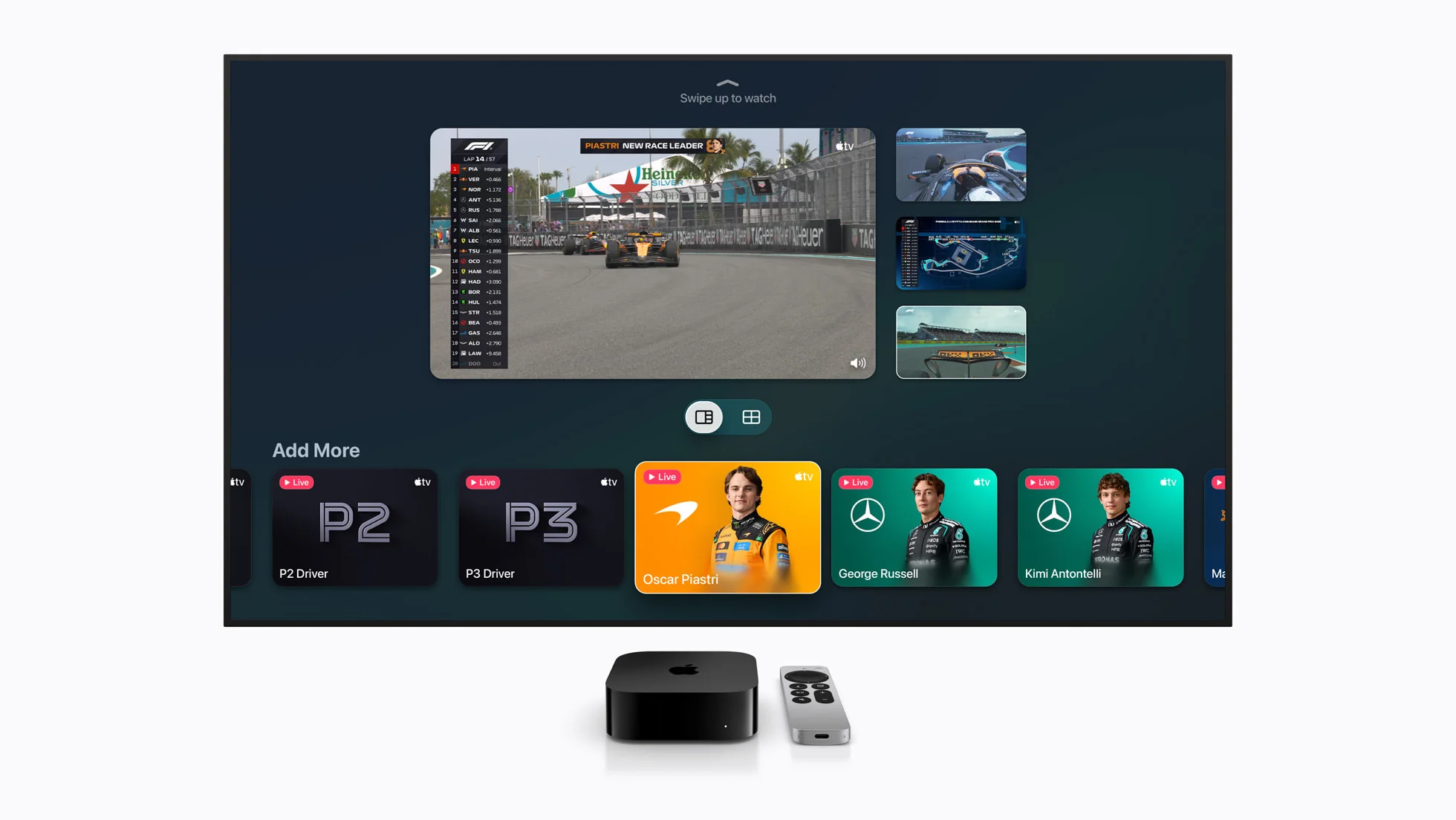
The Apple TV app is enough to follow the complete championship. A U.S. subscriber receives every practice, qualifying session, Sprint and Grand Prix live and on demand. It is not limited to the Sunday world feed: Apple presents English and Spanish commentary, a choice between F1 TV and Sky Sports broadcasts, and additional ways to follow an individual driver or the race state.
Main coverage
Live and on-demand sessions, pre- and post-race programming, full replays, highlights, interviews and press conferences.
Driver views
Onboard cameras for every driver plus a mixed onboard feed that changes camera as the action develops.
Race context
Driver Tracker, timing and data feeds, with a Podium feed following P1, P2 and P3 during Sprint and race sessions.
Fast catch-up
Race in 30 and highlights for viewers who cannot fit a full replay into the day, presented with spoiler-free discovery.
Apple describes access to as many as 30 additional live feeds across a weekend. That is a ceiling, not a promise that every feed exists in every session. The Podium view, for example, applies to Sprint and race sessions. Open the event early, identify the feed names you want and avoid learning the controls after the start.
For a normal race-night setup, choose a primary commentary broadcast and add data or an onboard only when it helps answer a question. Four moving pictures can provide more information, but they can also make a strategic race harder to read. The best interface is the one that lets you follow pit windows, penalties and position changes without constantly rebuilding the screen.
Are any F1 sessions free in 2026?
Yes, but the free offer is narrower than the paid season. Apple’s current U.S. FAQ says every practice session is available without a subscription and that a select number of race weekends will also be free. It does not publish a guaranteed count or make every qualifying session, Sprint and race free.
Check the live event card and the F1 schedule this weekend before assuming access. Apple has also used free Tubi creator-led altcasts on multiple races, but an altcast is a different production, not proof that the standard subscription broadcast is unlocked. If uninterrupted access to every remaining round matters, budget for the subscription rather than planning around unannounced promotions.
What does the F1 TV Premium app add?
F1 TV Premium does not add races that Apple TV withholds. It adds a motorsport-first way to assemble and study the same weekend. Formula 1’s current U.S. offer emphasizes custom Multiview, 4K Ultra HD, every-driver onboards, team radio, live timing and a deeper archive. For viewers who follow strategy or one driver closely, those controls can matter more than another general studio show.
| Premium tool | What it helps you answer | Important limit |
|---|---|---|
| Custom Multiview | How the main race and chosen drivers develop together | Select devices only |
| Onboards and radio | What one driver saw and what the team communicated | Radio context can be incomplete |
| Timing and telemetry | Gaps, sector trend, tyre use and track position | Data needs interpretation |
| 4K UHD/HDR | Higher-fidelity home presentation | Compatible chain required |
| Archive and shows | History, technical analysis and past-race context | Replay availability can vary |
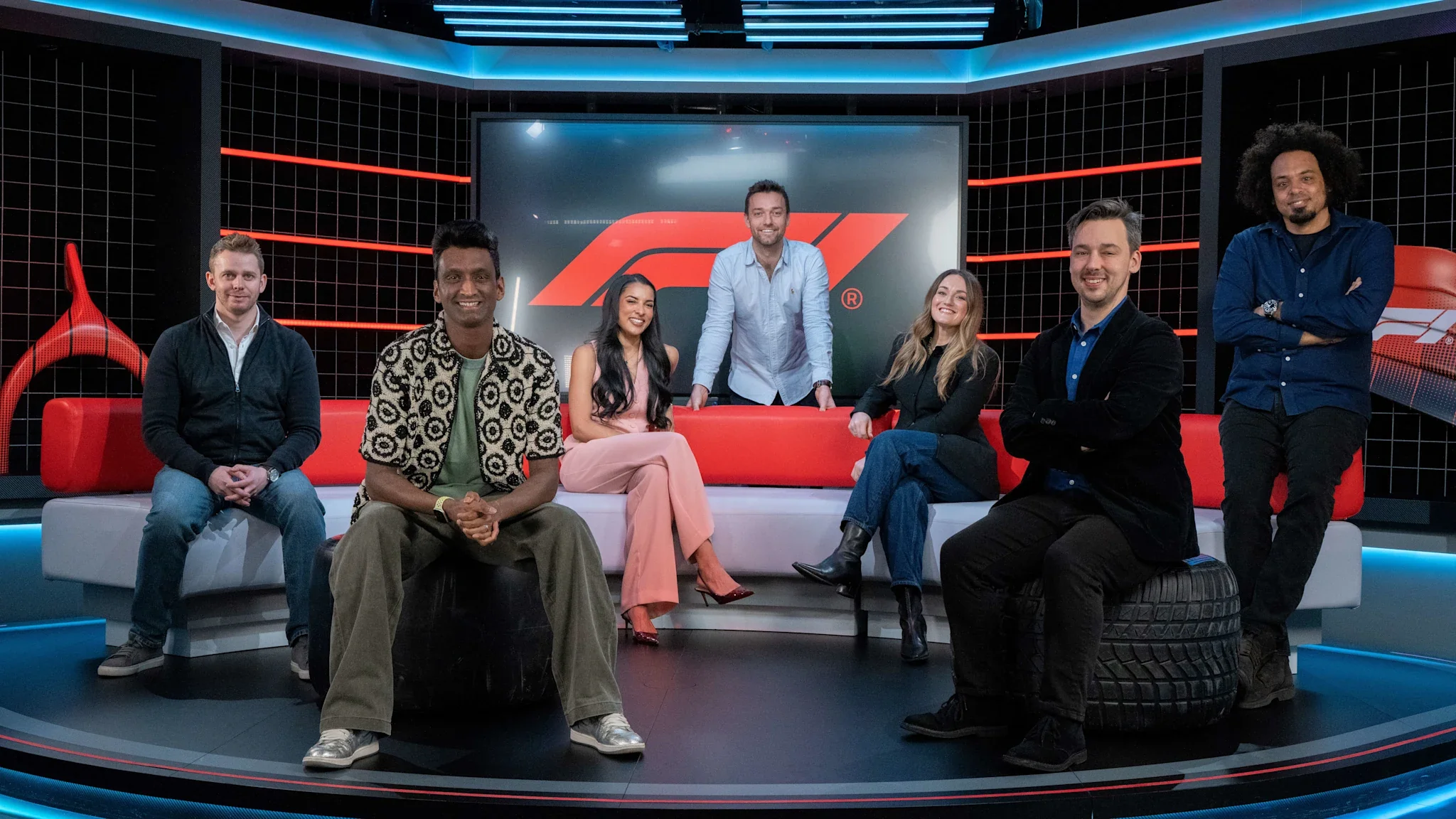
An official June 2026 guide describes Premium as supporting 4K Ultra HD/HDR at home, streaming on up to six devices and a personalized Multiview with 26 available feeds on supported hardware. Those are product capabilities, not a guarantee that every device, network or session delivers the maximum combination. Confirm the F1 TV app’s current compatibility before designing a six-screen setup.
Use the extra information selectively. A main feed plus timing and one onboard often explains more than a wall of tiny windows. Team radio can reveal requests and reactions, but clips may arrive without the full surrounding conversation. Data identifies a gap or tyre trend; it does not prove the team’s intent. Premium gives evidence, while the viewer still supplies interpretation.
Does F1 TV Premium include F2, F3 and F1 Academy?
Yes. Formula 1 confirms live 2026 coverage of Formula 2, Formula 3, F1 ACADEMY and Porsche Supercup alongside F1. For the linked U.S. entitlement, Apple and Formula 1 specifically identify access through the F1 TV app on Apple TV, iPad and iPhone.
That makes the F1 TV app particularly useful when a support race sits outside the main Apple TV browsing flow. Check the event listing because not every championship attends every Grand Prix. The official wording also names those Apple platforms for this linked path; verify support before assuming the identical entitlement workflow on every smart-TV or console implementation.
Devices, 4K and Multiview limitations
Basic access is broad; advanced features are narrower. The Apple TV app can carry the main F1 experience on Apple devices, Android phones and tablets, supported smart TVs, Roku, Fire TV, Google or Android TV devices, PlayStation, Xbox and the web. Exact model, region and software compatibility still matters, but buying an Apple TV 4K box is not a condition of subscribing.
Apple’s own F1 Multiview has a specific support list: Apple TV 4K, iPad and Vision Pro. It can display as many as four feeds, including preset team layouts or a custom mix. Apple Support says the television implementation requires Apple TV 4K with tvOS 16.5 or later. A Samsung app, web browser or console may play the race perfectly while lacking that same four-feed control.
| Goal | Start here | Verify live |
|---|---|---|
| Watch the main broadcast | Existing supported app or web device | App/model compatibility |
| Apple four-feed Multiview | Apple TV 4K, iPad or Vision Pro | Current OS and event feeds |
| F1 TV custom grid | A current Premium-compatible platform | Select-device feature support |
| 4K UHD/HDR | Premium plus compatible home setup | App, device, display and connection |
Formula 1 separately advertises Premium’s personalized Multiview on select devices, with 26 feeds available to build from, and 4K UHD/HDR presentation. “Available” is not the same as automatic. Resolution depends on the app platform, playback hardware, television, HDMI path and network delivering a compatible stream. Test a replay or practice before qualifying rather than diagnosing the chain during a live start.
Do you need an Apple device to watch F1?
No. Apple explicitly supports its streaming service beyond Apple hardware, including Android, smart TVs, streaming players, consoles and browsers. Use a supported device you already own if your goal is simply to watch every session.
Consider new hardware only for a feature you can name. Apple TV 4K is relevant if four-feed Apple Multiview on the television is important; it is unnecessary merely because the service shares its name. Likewise, confirm the current F1 TV compatibility table before buying a device for Premium Multiview or 4K. The cheapest reliable setup is usually the existing screen for the main feed and a phone or tablet for timing.
Commentary, replays and spoiler-free catch-up
Apple TV gives U.S. viewers two main broadcast choices rather than locking the season to one commentary team. Every session has English and Spanish commentary, and the event interface includes both F1 TV and Sky Sports broadcasts. Formula 1 says its F1 TV team primarily fronts Apple’s English-language coverage, while Sky remains available as an alternative.
Missing the start does not force one catch-up format. Apple lists full replays, highlights and Race in 30, all presented through spoiler-free discovery. It also makes replays and highlights available for on-track events across a Grand Prix and carries driver or team interviews and press conferences. Choose by the amount of context you need, not merely the shortest runtime.
A useful catch-up ladder
- Full replay: best when tyre life, pit timing, safety-car decisions and gaps matter.
- Race in 30: best when you want the race narrative without the full duration.
- Highlights: best for the decisive passes, incidents and result-level story.
- Interviews and press conferences: useful after viewing the action, when claims can be checked against what happened.
Spoiler-free app presentation cannot control the rest of your phone. Disable sports-result notifications, hide lock-screen alerts and avoid social or news feeds until playback begins. If joining a live session late, confirm whether the app offers “start from beginning” before selecting a tile that may open at the current race position. Feature wording can change, so treat this as a pre-session check rather than a promise.
Which main broadcast feed should you choose?
Neither official source labels one universally better. Try both during practice, when switching costs little, and choose the voices and presentation you understand most easily. The F1 TV broadcast is the primary English presentation described for Apple’s U.S. launch; the Sky feed is there for viewers who prefer that production.
Do not confuse main commentary with an onboard’s team radio. A driver feed can illuminate one battle while missing developments elsewhere. For the race, keep one main broadcast as the narrative anchor and add radio, timing or onboard views with a specific purpose. Stability usually makes strategy easier to follow than changing audio every few laps.
Which app should you use on race weekend?
Use Apple TV when you want a straightforward broadcast on the widest range of household screens. Use F1 TV when timing, radio, a chosen onboard, support series or archive context is the point of the session. You can switch because Formula 1 describes the U.S. arrangement as one subscription; neither choice commits you for the rest of the season.
| Viewer | Start with | Add only if useful |
|---|---|---|
| Casual or one screen | Apple TV main broadcast | A different commentary feed |
| Strategy follower | F1 TV main feed plus timing | One relevant onboard |
| Single-driver fan | Main race as anchor | Driver camera and radio |
| Support-series viewer | F1 TV event listing | Apple broadcast for F1 |
| Late viewer | Apple spoiler-free catch-up | F1 TV archive/analysis afterward |
This is a workflow choice, not a claim that every feed is exclusive to one app. Apple Support itself lists all 22 onboards, live data and Driver Tracker. F1 TV’s advantage is its motorsport-first organization and customization. Test both during practice, when a login or compatibility problem costs less than it does on Sunday.
Also decide which screen remains authoritative when streams drift by a few seconds. Muting the companion feed prevents delayed radio or commentary from revealing an overtake before it appears on the main display. Synchronization varies, so test it instead of assuming two apps will align frame for frame.
What is the best setup for one subscription?
Keep one stable main feed on the largest reliable screen and use one companion device for timing or a specific onboard. Link F1 TV in advance, update both apps, confirm audio and test the network. More windows are worthwhile only when each has a job.
Finally, verify the official F1 calendar, the local start time and the event card. The best technical setup still fails if it is built around an old schedule. Recheck price, free-session status and device support whenever the subscription or hardware changes.
Loading comments…